
The belief that more bandwidth solves all remote work problems is flawed; true performance for creative tasks is dictated by latency, jitter, and packet loss.
- A high-bandwidth connection with high latency is less effective for interactive work than a lower-bandwidth link with minimal latency.
- Even minuscule packet loss (under 0.01%) can reduce effective data throughput by over 90%, crippling large file transfers and real-time collaboration.
Recommendation: Shift focus from chasing higher Mbps to actively diagnosing and managing network quality using tools like MTR and Quality of Service (QoS) configurations.
As an IT director, you’ve equipped your remote creative teams—video editors, architects, 3D artists—with gigabit internet. Yet, the complaints persist: choppy Zoom calls, lagging remote desktop sessions, and painfully slow project file syncs. You’ve checked all the boxes, advising them to use wired connections and ensuring their hardware is up to spec. The conventional wisdom says more bandwidth is the answer, but the problem isn’t getting solved. This points to a fundamental misunderstanding of what makes a network “fast” for creative professionals.
The issue isn’t the size of the data pipe; it’s the hidden obstacles within it. The true culprits are the metrics that don’t appear on an internet provider’s advertisement: latency, jitter, and packet loss. For tasks that require real-time feedback and the transfer of massive files, these factors are far more critical than raw download speed. A high-latency connection can make a 1Gbps line feel sluggish, as every data request faces a small but cumulative delay that sabotages the creative flow state.
This guide moves beyond the simplistic “more speed” narrative. We will dissect the technical nuances of network performance from an engineering perspective. We will explore why a seemingly fast connection can underperform, how to properly compare connectivity options like fiber and 5G for professional use, and provide concrete, actionable strategies for diagnosing and resolving the real bottlenecks that are hampering your team’s productivity.
This article provides a structured approach for IT directors to diagnose and resolve the nuanced connectivity issues that plague remote creative teams. The following sections offer technical insights and practical solutions to enhance productivity beyond simply increasing bandwidth.
Summary: Beyond Bandwidth: A Guide to Optimizing Remote Creative Workflows
- Why Your 1Gbps Internet Still Lags on Video Calls?
- Fiber vs 5G Home Internet: Which Is More Stable for Large Uploads?
- How to Fix Packet Loss That Ruins VoIP and Gaming Sessions?
- How to Use QoS Settings to Prioritize Zoom Over Netflix?
- When to Use Physical Drives Instead of Cloud Transfer for Backups?
- How to Know if You Are Really on 5G or Just “Fake 5G”?
- How to Reduce Zoom Fatigue by Switching to Async Workflows?
- How 5G Is Transforming Live Broadcasting from the Field?
Why Your 1Gbps Internet Still Lags on Video Calls?
The paradox of a high-speed internet connection that still struggles with real-time applications like video calls stems from a misunderstanding of what “speed” means. Your 1Gbps plan refers to bandwidth—the maximum volume of data that can be transferred. However, for interactive tasks, latency (the time it takes for a data packet to travel from its source to its destination) is far more critical. High latency creates a noticeable delay, or lag, regardless of how much bandwidth you have available. In fact, for most interactive traffic, a 10 gigabit link with 50ms latency is readily outperformed by a 10 megabit link with just 1ms of latency.
A primary culprit for this issue in high-bandwidth connections is a phenomenon known as “bufferbloat.” This occurs when the network equipment (like your router) queues up too much data in its buffers, creating its own internal traffic jam. When you’re on a Zoom call while a large file is downloading in the background, the small, time-sensitive video packets get stuck behind the large, non-urgent download packets. The result is jitter (variation in latency) and lag, even though your total bandwidth is nowhere near its limit. This is why investing in routers with modern, smart queue management (SQM) algorithms can make a more significant difference than simply buying a faster internet plan.
Ultimately, a high-bandwidth connection is only as good as its latency and stability. For creative teams, where real-time collaboration and feedback are paramount, optimizing for low latency and minimal jitter should be the primary technical goal. Focusing solely on the advertised Mbps is a common but costly mistake that fails to address the core performance bottlenecks. Diagnosing the entire data path, from the user’s machine to the destination server, is essential to identify the true source of lag.
Fiber vs 5G Home Internet: Which Is More Stable for Large Uploads?
For creative professionals, the ability to upload large files—like 4K video footage, architectural models, or uncompressed audio—is just as important as download speed. This is where the distinction between connection types becomes critical. Fiber optic internet is unequivocally more stable and superior for large uploads due to its symmetrical nature, offering upload speeds that are identical to its download speeds. This ensures that a 1TB project file can be sent to a client or a cloud server in a predictable and efficient timeframe, without monopolizing the network.
In contrast, 5G home internet, while capable of impressive download speeds, is an asymmetrical technology. Its upload speeds are significantly lower than its download speeds and are far more susceptible to network congestion and environmental factors. As a shared wireless medium, its performance can fluctuate based on the number of users connected to the same cell tower, physical obstructions, and even weather. This variability makes it a less reliable choice for professionals who depend on consistent and fast upload capabilities for their daily workflow. Real-world examples confirm this; French animation studio Supamonks successfully transitioned its team to remote work, but this was only possible by leveraging low-latency remote desktop tools that rely on stable, low-latency connections, something fiber provides but 5G struggles to guarantee. Their experience, detailed in a case study on frictionless creative work, highlights that the underlying stability is key to making remote VFX and 3D animation feel as seamless as being in the studio.

The physical medium itself explains this performance gap. Fiber optic cables transmit data as pulses of light through glass strands, a method that is immune to the radio frequency interference that can plague wireless connections like 5G. This inherent stability makes fiber the gold standard for any workflow involving real-time collaboration or the frequent transfer of large data assets.
The following table breaks down the key performance differences for creative work, illustrating why fiber maintains a distinct advantage for professional use cases that are heavy on uploads.
| Feature | Fiber Internet | 5G Home Internet |
|---|---|---|
| Upload Speed | 100-5000 Mbps (Symmetrical) | 10-75 Mbps (Asymmetrical) |
| Download Speed | 100-5000 Mbps | 25-1000 Mbps |
| Latency | 1-5 ms | 20-50 ms |
| Consistency | Stable 24/7 | Variable, affected by network congestion |
| Best For | Large file uploads, video editing, real-time collaboration | Basic browsing, streaming |
How to Fix Packet Loss That Ruins VoIP and Gaming Sessions?
Packet loss, even in tiny amounts, is devastating for real-time applications. Unlike browsing a webpage where a lost packet is simply re-sent with a minor delay, in a VoIP call or a remote desktop session, that data arrives too late to be useful, resulting in stutter, robotic voices, and frozen screens. The impact is disproportionate to the amount of loss; research on remote work network performance shows that even a minuscule packet loss of 0.0047% combined with 30ms latency can slash effective throughput by a staggering 95%.
Fixing packet loss requires a diagnostic approach, not guesswork. The first step is to identify where the loss is occurring. It could be on the local network (faulty Wi-Fi, bad Ethernet cable), within the Internet Service Provider’s (ISP) network, or at the destination server. Shifting from Wi-Fi to a wired Ethernet connection is the easiest first step to rule out local wireless interference. If the problem persists, more advanced tools are necessary. This is where a utility like MTR (My Traceroute) becomes an indispensable tool for an IT director.
MTR combines the functionality of `ping` and `traceroute` to provide a hop-by-hop analysis of the connection path, showing the latency and packet loss at every step along the way. Running MTR to a critical server during periods of poor performance will pinpoint exactly where packets are being dropped. If loss consistently appears at the second or third hop, the issue likely lies with the local router or the ISP’s initial connection point. If it occurs further down the line, it points to a problem within the ISP’s core network or beyond. This data is the evidence needed for a productive conversation with an ISP’s technical support, elevating the complaint from “my internet is slow” to a specific, actionable report.
Your Action Plan: Diagnosing Packet Loss with MTR
- Install MTR (My Traceroute) on your system or the affected user’s machine.
- Run MTR tests to the IP addresses of your critical service endpoints (e.g., your company’s VPN, a cloud server) during peak work hours when issues occur.
- Analyze the results to identify where packet loss begins. Is it on the first hop (local router/Wi-Fi), within the middle hops (ISP network), or at the final hops (destination network)?
- Look for patterns: consistent loss at a specific hop indicates a persistent network problem at that location, not a temporary glitch.
- Document and share the MTR output with your ISP’s technical support team to provide concrete evidence for informed troubleshooting.
How to Use QoS Settings to Prioritize Zoom Over Netflix?
Quality of Service (QoS) is a router feature that acts like a traffic cop for your network, and it’s one of the most powerful tools for an IT director managing remote teams. In a typical home network, all data is treated equally. This means a non-urgent, high-bandwidth activity like a 4K Netflix stream can crowd out small, time-sensitive data packets from a critical Zoom call, causing lag and jitter. QoS allows you to instruct your router to prioritize specific types of traffic, ensuring that work-related applications always have the bandwidth and low latency they need to function smoothly, regardless of other network activity.
Effective QoS configuration goes beyond simple device prioritization. Modern routers allow for application-specific rules based on port numbers or service types. For example, you can create a top-priority rule for VoIP and video conferencing traffic, guaranteeing it a certain percentage of your upload and download bandwidth. You can then assign a lower priority to streaming services and large file downloads. This ensures that even if someone in the house starts a massive download, your video call quality remains pristine. This level of granular control is crucial in a professional remote work environment.
The importance of this is underscored by industry data. A Metrigy study found that 88.6% of the 1,400 companies surveyed use video conferencing, with tools like Microsoft Teams having specific network requirements for optimal performance. Companies that implemented proper QoS policies saw significant improvements in call quality, particularly when they focused on prioritizing upload bandwidth for their remote workers. For creative teams using specialized tools, this can be taken a step further by setting up rules for specific collaboration platforms like Frame.io (TCP port 443) or LucidLink (UDP port 5201) to ensure these business-critical services are never compromised.
When to Use Physical Drives Instead of Cloud Transfer for Backups?
In an era dominated by cloud services, it can seem counterintuitive to rely on physical media. However, for creative teams dealing with terabytes of data, the “Sneakernet”—transferring data by physically moving a drive from one location to another—is often the fastest and most reliable method. The decision to use physical drives over cloud transfer is a simple calculation of time and cost, dictated by file size and upload speed. When a project’s data size becomes so large that the cloud upload time is measured in days, not hours, physical transfer becomes the logical choice.
Consider a video editor needing to transfer a 5TB project to a colorist. Even with a respectable 100 Mbps upload speed, this transfer would take over four and a half days of continuous uploading, monopolizing the network for the entire duration. In contrast, copying the data to a ruggedized SSD and shipping it overnight ensures it arrives the next day, with no impact on the editor’s network connectivity. For many studios, this is a standard part of their data management and disaster recovery workflow. This method is not a step backward; it is a practical solution to the physical limitations of current internet infrastructure for extremely large datasets.
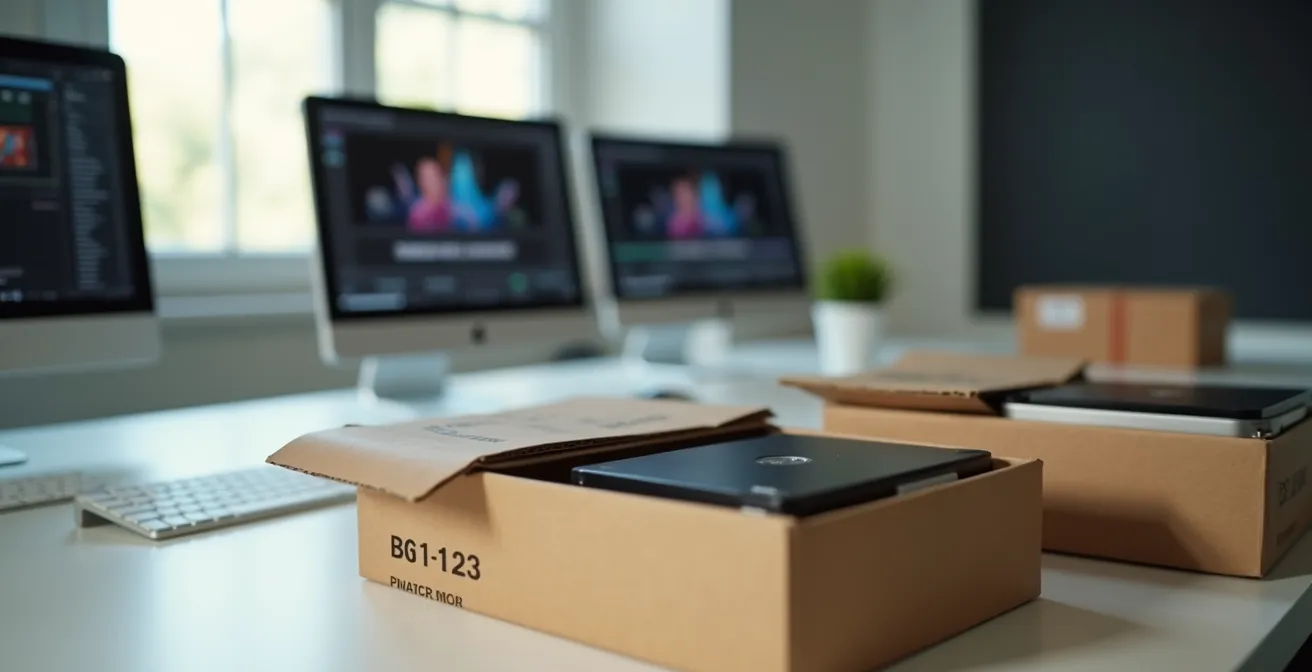
The choice is not about abandoning the cloud, but about using the right tool for the job. The cloud is excellent for collaboration on active projects and for incremental, automated backups of smaller file sets. Physical drives excel at the initial “seeding” of a large backup to an offsite location, transferring massive completed projects, or in disaster recovery scenarios where an entire workstation’s data needs to be restored quickly. The following decision matrix provides a clear guide for when to make the switch from digital to physical transfer.
| File Size | Upload Speed | Cloud Transfer Time | Physical Shipping | Recommendation |
|---|---|---|---|---|
| 100 GB | 100 Mbps | 2.2 hours | Next day | Use Cloud |
| 1 TB | 100 Mbps | 22 hours | Next day | Consider Physical |
| 5 TB | 100 Mbps | 4.6 days | Next day | Use Physical |
| 10 TB | 100 Mbps | 9.3 days | Next day | Definitely Physical |
How to Know if You Are Really on 5G or Just “Fake 5G”?
The “5G” icon on a smartphone or router can be misleading. Marketing terms have created a situation where users may be connected to what is technically 5G, but which offers performance no better than a strong 4G LTE connection. This “fake 5G” is typically low-band 5G, which utilizes frequencies similar to 4G. It provides broad coverage but lacks the transformative speed and low latency that define true next-generation performance. For IT directors evaluating 5G as a primary or backup connection for creative professionals, distinguishing between the different flavors of 5G is essential.
True, high-performance 5G comes in two main forms: mmWave (millimeter wave) and mid-band (or C-band). mmWave offers incredible multi-gigabit speeds and sub-10ms latency but has an extremely short range and is easily blocked by walls, making it useful only in dense urban areas or specific venues. Mid-band 5G offers a “goldilocks” solution, providing significantly faster speeds and lower latency than 4G over a much wider area than mmWave. When a device shows a “5G” icon but speed tests are below 100 Mbps, it is almost certainly on a low-band network. Speeds in the hundreds of Mbps suggest mid-band, while speeds approaching or exceeding 1 Gbps indicate a mmWave connection.
To properly assess a 5G connection’s viability for professional use, a simple speed test is insufficient. You must follow a more rigorous testing protocol:
- Use a comprehensive analysis app: Tools like nPerf or Speedtest by Ookla provide more than just speed; they measure latency and jitter, which are critical metrics for real-time applications.
- Test at different times: Run tests during morning, midday, and evening peak hours. A reliable connection will show consistent performance, while a congested consumer-grade network will show significant slowdowns during peak times.
- Analyze latency and jitter: For creative work, a latency consistently below 30ms and jitter below 5ms is desirable. High values in these metrics will cause problems regardless of download speed.
- Compare bands if possible: Some advanced tools can show which frequency band you are connected to, providing a definitive answer about the quality of the 5G service.
Only through this systematic evaluation can you determine if a 5G service is a robust, enterprise-grade solution or merely a consumer-grade service with a fancy icon.
How to Reduce Zoom Fatigue by Switching to Async Workflows?
While technical solutions like QoS and fiber internet can improve the quality of synchronous communication, they don’t solve a more fundamental problem: Zoom fatigue. Back-to-back video calls are mentally draining and often an inefficient way to collaborate on creative projects. The solution is often not a better connection, but a better workflow. Switching from synchronous (real-time) to asynchronous (non-real-time) communication can drastically reduce meeting overhead, restore focus time, and surprisingly, improve the quality of feedback.
Instead of a live screen-share to review a video edit, an editor can upload the render to a platform like Frame.io. Team members can then leave time-stamped, frame-accurate comments and annotations at their convenience. This async method allows for more thoughtful, detailed feedback than what can be jotted down during a live call. Similarly, a project kickoff meeting can be replaced with a detailed Loom video from the project lead, which team members can watch and discuss in a dedicated Slack thread. This respects everyone’s schedule and allows for deeper processing of information.
The remote-first company Help Scout provides an excellent case study. With 75% of its 60-person team working remotely, they actively replaced exhausting all-day video sessions with asynchronous video updates. Weekly all-hands meetings were transformed into “Monday video parties,” where team members could catch up on updates at their own pace. This shift not only reduced meeting fatigue but also resulted in better communication quality. The key is to use the right tool for the task, reserving synchronous calls for urgent problem-solving or genuine team-building, not for status updates or routine feedback.
| Task Type | Synchronous Tool | Asynchronous Alternative | Latency Requirement |
|---|---|---|---|
| Color Grading Session | Parsec (High bandwidth) | Frame.io with comments | Sync: <50ms / Async: None |
| Daily Render Review | Zoom screenshare | Frame.io annotations | Sync: <150ms / Async: None |
| Project Kickoff | Teams/Zoom meeting | Loom video + Slack thread | Sync: <150ms / Async: None |
| Audio Mix Feedback | Evercast (150ms avg) | Waves Stream recordings | Sync: <150ms / Async: None |
Key Takeaways
- For creative workflows, prioritize low latency and minimal packet loss over raw bandwidth; a stable 100 Mbps connection is often better than a laggy 1Gbps one.
- Packet loss is the silent killer of productivity. Even rates below 1% can render real-time applications unusable and require systematic diagnosis with tools like MTR.
- A hybrid strategy is most effective: use technical solutions like QoS to manage network traffic and adopt asynchronous workflows to reduce reliance on taxing real-time video calls.
How 5G Is Transforming Live Broadcasting from the Field?
Beyond the home internet use case, the low latency and high-throughput capabilities of true 5G, particularly mid-band and mmWave, are fundamentally transforming professional workflows that were previously tied to physical locations. The field of live broadcasting is a prime example. Historically, remote broadcasting required expensive satellite trucks or complex bonded-cellular setups to transmit high-quality video. 5G provides a more flexible and cost-effective solution, enabling broadcasters to stream 4K video directly from 5G-enabled cameras, drastically reducing setup time and logistical complexity.
This transformation extends to other creative fields that require real-time, high-fidelity collaboration. For example, film production teams can now conduct remote color grading sessions where a director in Los Angeles can view a 4K, 10-bit color-accurate stream from a colorist’s workstation in London with near-imperceptible delay. This is made possible by a combination of a high-performance 5G network and ultra-low-latency streaming platforms. These platforms are optimized for creative workflows, offering features that standard video conferencing tools lack.
Case Study: Evercast’s Ultra-Low Latency Collaboration
The platform Evercast demonstrates the potential of optimized networks for creative industries. It achieves a global average latency of just 150 milliseconds for its streaming sessions, allowing film, advertising, and game development professionals to collaborate on CPU-intensive programs in real-time. Users can make frame-accurate annotations on a 4K stream with 10-bit color, a level of precision that would be impossible on standard platforms like Zoom or Teams and is heavily reliant on a stable, low-latency network foundation provided by technologies like fiber and high-performance 5G.
As 5G infrastructure matures and its high-performance bands become more widespread, it will unlock new possibilities for remote creative work. It will untether creative professionals from their studios, enabling on-location editing, real-time virtual production collaboration from anywhere in the world, and a new paradigm of distributed creative teams that can operate with the same efficiency as if they were in the same room.
To ensure seamless remote operations, your next step is to implement a network monitoring protocol using these diagnostics to proactively identify and resolve bottlenecks before they impact creative output.